Effortless Voice
Dictation.
The lightweight voice-to-text that adapts to your context. Built with Rust. No subscriptions. Your data stays on your machine.
v2.0.4 • Windows
See Trueearsin action.
A quick walkthrough of the workflow: hotkey dictation paste.
Demo video coming soon
Replace this placeholder with your YouTube/Vimeo embed once the link is ready.
Prefer reading? Scroll for features, pricing, and FAQs below.
Built forspeed.
Three steps between your thought and the page. No friction, no learning curve, no switching apps.
Activate anywhere
Speak naturally



Context-aware output
Trueears speaksyour language.
Everyone writes differently. Trueears adapts to your style, your context, and your vocabulary so you don't have to change a thing.
Available on yourfavorite tools.
Trueears works seamlessly with the apps you already use. No plugins, no setup required.




























Built different.
Not just another wrapper.
The Chameleon Engine
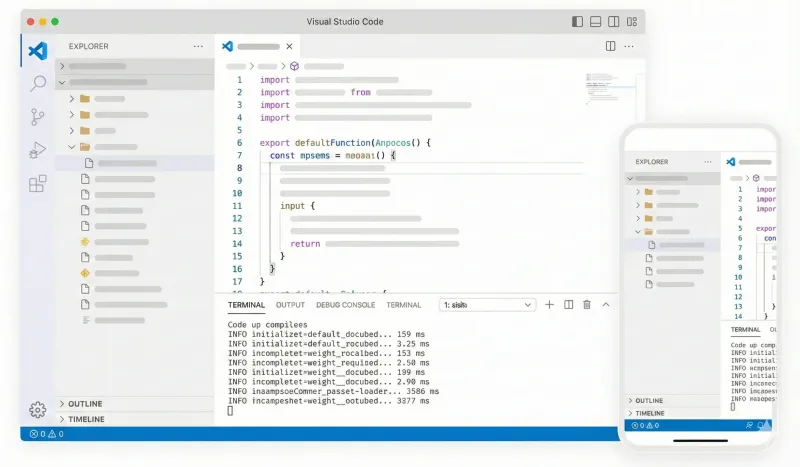
Trueears detects your active window and changes behavior automatically. It knows the difference between a git commit message and an email to your boss.
Featherlight
Built with Rust and Tauri. No heavy Electron runtime. Trueears runs silently in the background without eating your RAM.
Local First
Your voice data is processed locally or sent directly to your API provider. We don't train on your data. It never leaves your machine unless you want it to.
Global Hotkey
Toggle recording from anywhere with a simple keystroke. No need to switch windows or find the app. It's always there when you need it.
Privacy is built intoTrueears
You stay in control. Your data never leaves your device unless you want it to.
No audio files or transcripts
saved on our servers.
Context detection stays local.
Nothing leaves your device.
Zero LLM
data retention.
Custom modes and settings
stay on your device.
Your thoughts aren't our product. Dictate freely.
WhyTrueears?
We built the tool we wanted to use. Lightweight, private, and priced fairly.
Comparison based on publicly available information.
Simple,transparent pricing.
No monthly subscriptions. Ever. Pay once, use forever.
BYOK
Bring your own API key (Groq, OpenAI, Anthropic). Pay only for what you use directly to the provider.
- Unlimited Usage (via your key)
- All Context Modes
- Local Processing
Supporter
Support the development of Trueears. Get early access to new features and priority support.
- Everything in Free
- Early Access to Beta Features
- Priority Discord Support
- Supporter Badge
Loved bybuilders.
See what developers, writers, and creators are saying about Trueears.
“Finally, a voice AI that doesn't eat 500MB of RAM. Trueears runs in the background and I barely notice it. The VS Code integration is insane.”
“I switch between Slack and Word 100 times a day. Trueears just *knows* when to be casual and when to be formal. It's like magic.”
“Built with Rust/Tauri? Say less. It's blazing fast and the local-first approach is exactly what I was looking for.”
“The global hotkey is a game changer. I can dictate Jira tickets while walking around the room. Productivity went 📈”
“I tried Superwhisper and others, but Trueears's context awareness is on another level. It actually formats my code comments correctly.”
“Finally, a voice AI that doesn't eat 500MB of RAM. Trueears runs in the background and I barely notice it. The VS Code integration is insane.”
“I switch between Slack and Word 100 times a day. Trueears just *knows* when to be casual and when to be formal. It's like magic.”
“Built with Rust/Tauri? Say less. It's blazing fast and the local-first approach is exactly what I was looking for.”
“The global hotkey is a game changer. I can dictate Jira tickets while walking around the room. Productivity went 📈”
“I tried Superwhisper and others, but Trueears's context awareness is on another level. It actually formats my code comments correctly.”
Frequently AskedQuestions
Everything you need to know about Trueears.
Let's build somethingextraordinary.
Have a question about Trueears? Want to request a feature? Or just want to say hi? We'd love to hear from you.